Step-by-step AI video creation for online marketers
QuickAdVideo Team
Author
Hiring a video production crew to promote a single product can run $1,000 or more before you even get to ad spend. For online business owners juggling inventory, customer support, and campaign deadlines, that math doesn’t work. Step by step AI video creation changes the equation entirely. Instead of coordinating freelancers and waiting days for edits, you follow a repeatable, structured process that takes one person, one day, and a fraction of the traditional cost. This guide walks you through every stage, from getting your assets in order to hitting publish, so you come away with videos built to convert, not just to look good.
Table of Contents
- What you need: tools, assets, and preparation
- Step by step AI video creation workflow
- Common challenges and best practices for consistent, high-converting videos
- Measuring success and scaling your AI video marketing
- Why your AI video creation success depends on discipline and strategy, not just technology
- Get started with QuickAdVideo, the AI sales video generator for online marketers
- Frequently asked questions
Key Takeaways
| Point | Details |
|---|---|
| Structured workflow | Following a step-by-step AI video creation process ensures professional, conversion-focused outputs. |
| Consistency matters | Maintaining consistent visual style and prompts produces cohesive and recognizable brand videos. |
| Platform-optimized formats | Creating videos in platform-native aspect ratios maximizes engagement and avoids rework. |
| Audio is crucial | Spending time on sound and narration greatly improves viewer retention and conversion. |
| Measure and iterate | Testing multiple variations and tracking performance helps optimize video marketing results. |
What you need: tools, assets, and preparation
Before you record a single frame or write a single line of script, you need the right stack in place. Skipping this stage is the same as starting a road trip without a map. You’ll move, but probably in the wrong direction.
A practical AI product video workflow for small businesses typically runs on three tool layers. The first layer handles script generation. Expect to pay around $20 to $30 per month for a dedicated AI writing tool. The second layer covers visual and voice production, which includes AI image generation, video synthesis, and text-to-speech tools that typically run $29 to $60 per month. The third layer is editing and formatting, often available free or at up to $24 per month through browser-based editors. This small-business tool stack is lean, affordable, and purpose-built for fast turnaround.
| Tool layer | Function | Estimated monthly cost |
|---|---|---|
| Script generation | AI copywriting, hooks, CTAs | $20 to $30 |
| Visual and voice production | Image-to-video, AI voices | $29 to $60 |
| Editing and formatting | Cuts, captions, color, export | Free to $24 |
Your asset preparation matters just as much as your tools. High-quality product photos with clean backgrounds and multiple angles feed AI generators the visual data needed to produce consistent, professional-looking clips. Grainy or poorly lit product shots will produce mediocre output regardless of how good your prompting is. Shoot your product against a white or neutral background in natural light, then gather at least three to five angles before you start. If you’re starting with AI video ads, this prep phase alone will save you hours of regenerating clips that just don’t look right.
Batch your script outlines and asset folders before generation day. Set up naming conventions, export folders, and platform-specific format requirements in advance. This sounds administrative, but it’s what separates a chaotic production day from one that actually ships a finished video.
Pro Tip: Keep your AI prompts under 200 words. Overly long prompts dilute the model’s attention and often produce generic results. Short, specific, directive prompts consistently outperform paragraph-long descriptions.
Step by step AI video creation workflow
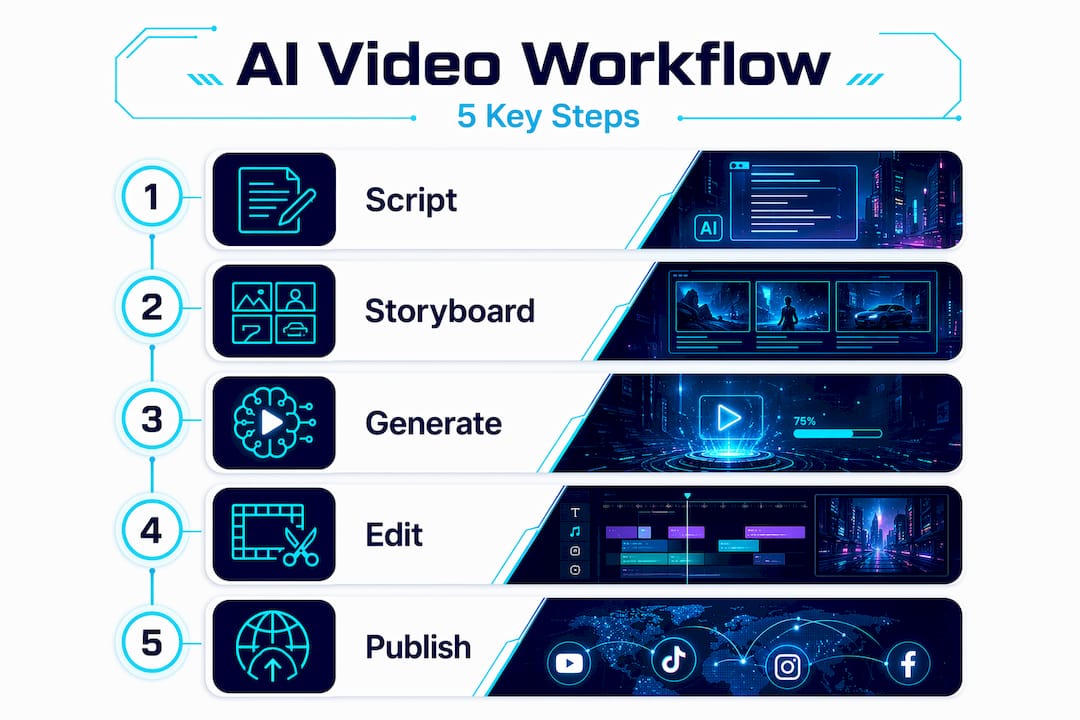
This is where preparation meets execution. A full AI video production pipeline across all seven stages takes roughly 8 to 9 hours for a polished 60-second sales video. That might sound like a lot, but compare it to a traditional shoot: this is one person, no crew, no location permits, no re-shooting because the lighting changed.
Here is the full workflow with time estimates:
- Write and refine your script (30 to 45 minutes). Lead with a hook that creates tension or curiosity in the first three seconds. End with a single, clear call to action. Every line should either build desire or reduce objection. Nothing else earns a spot in a sales script.
- Create a storyboard with a shot list (45 to 60 minutes). Map each script beat to a visual. Describe the camera angle, subject position, and mood for every clip. This prevents you from generating 40 random clips and hoping some of them fit together.
- Generate keyframes and AI video clips (2 to 4 hours). Image-to-video generation consistently outperforms text-to-video for product content because you control the visual starting point. The typical generation time per clip runs 30 to 120 seconds. Always generate at least two to three takes per shot.
- Edit your footage (1 to 2 hours). Focus on pacing first. Cut to music, not silence. Trim the pauses between cuts, grade your colors for consistency, and add captions using your editing tool’s auto-transcription.
- Add sound and narration (1 to 2 hours). Select an AI voice that matches your brand tone, neutral and authoritative for financial products, warm and conversational for lifestyle brands. Sync narration to your cuts frame by frame.
- Polish the video with final touches (30 to 45 minutes). Add lower thirds, logo watermarks, and any on-screen text that reinforces your hook or offer. Review the video at 0.75x speed to catch pacing issues your eyes normally skip at normal speed.
- Publish and distribute (30 minutes). Export in platform-native formats, schedule for peak engagement windows, and post with captions and platform-specific hashtags.
“Don’t skip any stage; skipping stages is the most common failure mode.”
| Stage | Time estimate | Key focus |
|---|---|---|
| Script | 30 to 45 min | Hook, benefits, CTA |
| Storyboard | 45 to 60 min | Shot list, visual direction |
| Generation | 2 to 4 hours | Multiple takes, image-to-video |
| Editing | 1 to 2 hours | Pacing, cuts, captions |
| Sound | 1 to 2 hours | Narration sync, music |
| Polish | 30 to 45 min | Text overlays, brand elements |
| Publish | 30 min | Format, schedule, captions |
For a detailed breakdown by platform and ad type, the step by step video ads guide covers format-specific decisions that can meaningfully affect click-through rates.
Pro Tip: Always generate in the aspect ratio your platform requires before editing, not after. Cropping a 16:9 clip to 9:16 post-generation almost always cuts off the subject or key visual elements.
Common challenges and best practices for consistent, high-converting videos
The biggest mistake most online business owners make with AI video creation is treating each video as a one-off project. You generate one clip, post it, check the views, and start over from scratch next time. That approach produces random-looking content that never builds into a recognizable brand presence.
Consistency in prompting and visual style is the single most important factor in making AI video outputs look like a cohesive campaign rather than a collection of unrelated experiments. Build a “visual bible” before you start producing: define your color palette, lighting mood, lens style (wide vs. close-up), and subject positioning. Save your visual bible as a reference file and pull from it every time you write a new prompt.
“Consistency is the key to making videos look like a cohesive campaign asset.”
Here are the most common pitfalls and how to handle each:
- Inconsistent backgrounds. Lock your background and lighting settings before you vary any other parameters in a test. Changing multiple variables at once makes it impossible to know what drove a result.
- Weak hooks. Script structure and pacing, especially what happens in the first three seconds, influences viewer retention and conversion more than any avatar choice or visual style. Spend at least a quarter of your scripting time on the opening line alone.
- Testing without structure. Run at least two variations per video and change only one element per test. Changing one element at a time in A/B tests yields interpretable data and can produce winning variants that outperform the original by 30% or more.
- Ad hoc generation. Avoid generating videos without a prompt template. Build a repeatable prompting workflow so every new video starts from a proven foundation, not a blank page.
For a deeper look at how this approach pays off over time, the AI video content creation benefits breakdown covers the compounding advantages of disciplined production.
Pro Tip: Batch generate at least three to five variations per campaign during a single session. You collect performance data faster, reduce context-switching, and build a library of tested creatives you can recycle with minor adjustments later.
Measuring success and scaling your AI video marketing
Creating good videos is half the job. Knowing which ones actually move product is the other half.
Start with these core metrics for every video you publish:
- View-through rate (VTR): What percentage of viewers watch past the three-second mark? Low VTR almost always signals a weak hook.
- Click-through rate (CTR): How many viewers take the next step? This tells you whether your offer is compelling.
- Shares and saves: High shares indicate emotional resonance. High saves indicate high purchase intent with a longer decision window.
- Conversion rate: The bottom line. Tie this to your landing page or product listing to isolate video-specific impact.
Platform format matters more than most marketers realize. Video length and aspect ratio should match the platform: 9:16 at 5 to 8 seconds for TikTok and Instagram Reels, 16:9 at 10 to 15 seconds for YouTube and product pages. Posting a landscape video on a vertical platform doesn’t just look wrong; it cuts your reach because the algorithm deprioritizes content that doesn’t match native format expectations.
| Platform | Aspect ratio | Ideal length |
|---|---|---|
| TikTok / Reels | 9:16 | 5 to 8 seconds |
| YouTube | 16:9 | 10 to 15 seconds |
| Product pages | 16:9 | 10 to 15 seconds |
| Instagram feed | 1:1 | 8 to 12 seconds |
| Email / landing page | 16:9 | 15 to 30 seconds |
Scaling production is about reusing what works, not starting fresh every time. Take your winning video’s script structure, swap the product, and run the same workflow again. Winning video variations regularly outperform runners-up by 30% or more in both engagement and conversion, so finding one winning formula and iterating on it is far more efficient than constantly inventing new formats.
Budget around $30 to $100 in tool credits per finished video at this scale. That number drops significantly as you batch produce. For more on tying video production to measurable business outcomes, the boost sales and ROI with video ads breakdown is worth reviewing before you allocate your next campaign budget.
Pro Tip: Schedule your video posts during peak engagement windows: 7 to 9 AM and 6 to 8 PM in your audience’s primary time zone. The same video posted at the wrong time can perform 40% worse than one posted when your audience is actually scrolling.
Why your AI video creation success depends on discipline and strategy, not just technology
Here’s something most AI video tutorials won’t tell you: the technology is the easy part. Every serious platform can generate a visually decent clip in under two minutes. What separates marketers who build real revenue from those who spin their wheels is whether they treat video production as a craft with a repeatable process or as a slot machine they pull and hope for the best.
Skipping scripting or storyboarding is the most common reason AI videos fail to hit conversion goals. It’s not because the AI can’t generate good footage. It’s because the person running it hasn’t done the strategic work to know what the video needs to communicate and how to structure that communication for the platform it’s headed to.
Audio is another area where most marketers underinvest. Audio quality and integration influence the perceived quality of the finished video sometimes more than the visuals themselves. Viewers will tolerate imperfect visuals with great sound far more readily than they’ll tolerate great visuals with muffled, robotic, or poorly synced narration.
The marketers who build consistent AI video output treat their prompts, their visual bible, and their scripting templates as business assets, not throwaway documents. They automate video content with AI by building systems, not just using tools. That’s the real unlock.
“Technology is just a tool; success comes from disciplined workflow and clear objectives.”
Pro Tip: Treat video format and script pacing as equal pillars to visual quality. A beautifully generated clip with a slow-starting script and the wrong aspect ratio will consistently underperform a scrappier video with a tight three-second hook and native formatting.
Get started with QuickAdVideo, the AI sales video generator for online marketers
You now have the full workflow, the metrics, and the mindset. The next challenge is execution speed. Running this entire pipeline manually across multiple tools, switching tabs, downloading files, re-uploading clips, is where most business owners lose momentum.
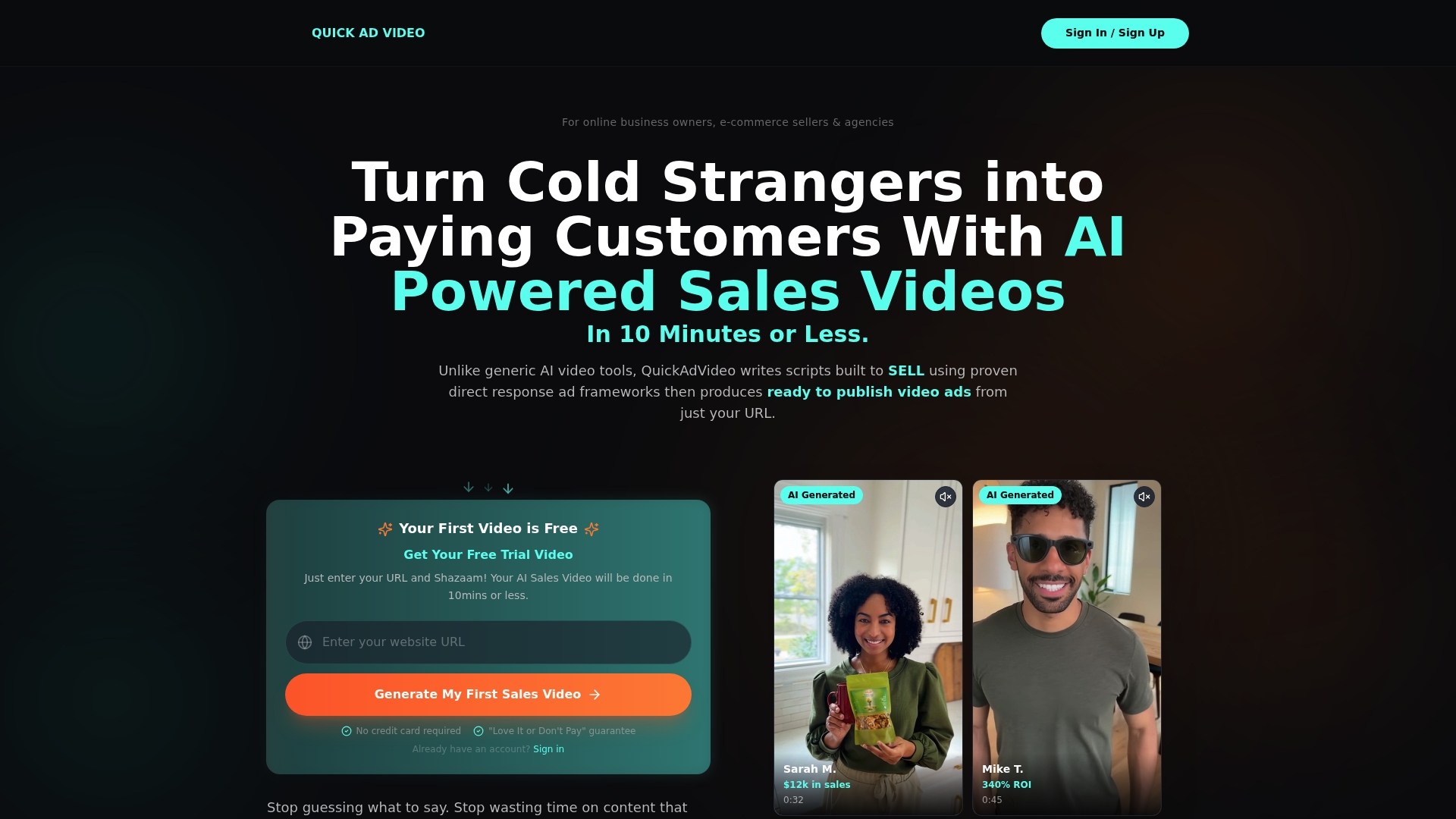
QuickAdVideo handles the entire workflow inside one platform. You paste your product URL, and the AI generates a conversion-focused script using direct response frameworks, then moves straight into video generation. No separate script tool, no separate voice tool, no separate exporter. The platform supports batch processing so you can produce multiple variations in a single session, and it exports directly to TikTok, Instagram, YouTube, and Facebook in the correct native format for each. You can explore AI video creation models including UGC, cinematic, and viral story formats to match your campaign goal, and use the built-in video editor tools to finalize everything without leaving the platform. Pricing is built for e-commerce scale: pay per credit or subscribe monthly, with no hidden production costs.
Frequently asked questions
How long does it take to create an AI-generated marketing video?
A full AI video workflow covering script, storyboard, generation, editing, sound, and publishing takes roughly one day for a finished 60-second video using around $30 to $100 in tool credits.
What aspect ratios should I use for different social platforms?
Use 9:16 for TikTok and Reels, 16:9 for YouTube and product pages, and 1:1 for Instagram feed posts. Duration targets range from 5 to 8 seconds for Reels up to 10 to 15 seconds for YouTube placements.
How can I ensure my AI videos have a consistent brand look?
Build a visual bible that defines your color palette, lighting, and style references, then lock those settings in your prompts before generating. Consistency in prompting is the key factor in producing outputs that look like a unified campaign rather than random clips.
Is audio important in AI video marketing?
Absolutely. Audio quality directly influences how professional and trustworthy a video feels to viewers, and it can carry more weight than the visuals when it comes to driving conversions. Treat sound design as a required stage, not an optional finishing touch.
Recommended
Related Posts

Why Use Templates for Video Ads: Scale Smarter
Discover why use templates for video ads to streamline production. Boost efficiency and scale your campaigns without losing creativity!
The Role of Data-Driven Video Ads in Boosting ROI
Discover the role of data-driven video ads in boosting ROI. Learn how analytics enhance engagement, optimize campaigns, and drive results.

Create Persuasive Video Ads Workflow That Converts
Learn how to create persuasive video ads workflow that transforms your ideas into optimized, high-converting campaigns. Get started today!