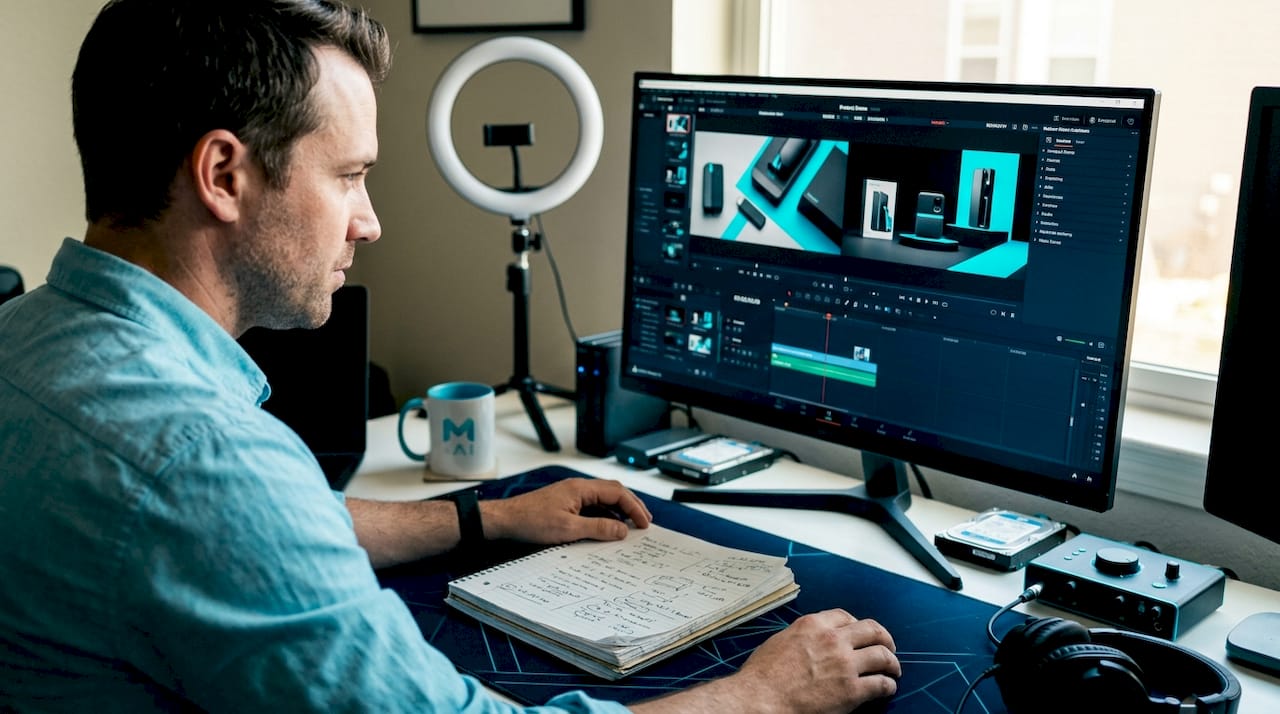
Product demo videos: what they are and how they convert
QuickAdVideo Team
Author
Static product photos used to be enough. Now they’re a conversion killer. Shoppers scroll past flat images and dense descriptions in seconds, but they stop for video. A product demo video is a short, engaging video that visually demonstrates a product’s key features, functionality, benefits, and use cases to educate potential customers and drive purchases. For e-commerce entrepreneurs, this isn’t a nice-to-have format anymore. It’s the single fastest way to close the gap between “browsing” and “buying” in an attention-starved market.
Table of Contents
- What is a product demo video?
- The winning structure of high-converting demo videos
- Demo video types and best-fit use cases
- How product demo videos boost engagement and conversions
- Best practices and pitfalls: How to maximize your product demo videos
- What most e-commerce businesses miss about demo videos
- Ready to create high-impact product demo videos?
- Frequently asked questions
Key Takeaways
| Point | Details |
|---|---|
| Short and engaging wins | Brief, focused demo videos drive higher engagement and conversion than long or static content. |
| Structure matters most | Use a problem–solution–walkthrough–results format for maximum persuasive power. |
| Choose the right video type | Match your demo format to product and audience for best results in e-commerce. |
| Leverage interactive features | Shoppable or interactive demos uplift conversion rates far beyond static images. |
What is a product demo video?
A product demo video is a focused, short-form piece of content built to show your product doing exactly what it promises. Unlike a brand video that sells a feeling, a demo video sells a reality. It shows your product in action, answers the buyer’s biggest questions before they can ask them, and moves viewers toward a purchase decision with clarity.
The core elements of any effective demo video include:
- Visual demonstration of the product being used in a real or realistic context
- Benefit-focused narration that speaks to outcomes, not just specifications
- A clear call to action that tells viewers exactly what to do next
- Short runtime that respects the viewer’s attention span
“A product demo video is a short, engaging video that visually demonstrates a product’s key features, functionality, benefits, and use cases to educate potential customers and drive purchases.” — Causality Engine Glossary
One of the most useful ways to understand demo videos is to compare them directly to the alternatives most e-commerce sellers still rely on.
| Content type | Format | Viewer effort | Conversion power |
|---|---|---|---|
| Static product image | Photo | Low to medium | Low |
| Product description text | Written copy | High | Low to medium |
| Product demo video | Short video | Very low | High |
| Interactive demo | Clickable experience | Medium | Very high |
The gap in conversion power is significant and measurable. Buyers who watch a product demo understand the product faster, trust it more, and convert at a higher rate.

Demo videos also come in several distinct styles, each suited for different products and audiences. Screen recordings work well for software and digital tools. Live-action videos show physical products being used in real life. Cinematic demo videos bring a high-production feel that builds brand prestige and works particularly well for premium products. And UGC demo videos, filmed in an authentic, casual style, drive trust through perceived social proof. Choosing the right style for your product and audience is where the strategic thinking begins.
The winning structure of high-converting demo videos
Knowing what a demo video is gets you started. Knowing how to structure it is what actually gets you conversions. The format and flow of your demo video determine whether a viewer sticks around long enough to become a customer. Structure matters more than production value, more than runtime, and more than the platform you post on.
The most effective demo video structure follows a simple four-stage sequence:
- Problem (10 to 20 seconds): Open with the exact pain point your target buyer experiences. Make them feel seen before you show them anything. This is not the time to introduce your brand or logo.
- Solution (10 to 20 seconds): Introduce your product as the answer. Keep it simple and direct. One sentence is often enough.
- Product in action (30 to 60 seconds): This is the core of your demo. Show the product working, being used, solving the problem you opened with. Visuals do the heavy lifting here. Narration supports but doesn’t carry the section.
- Results and CTA (10 to 20 seconds): Close with the outcome your buyer gets and a clear, single call to action. “Shop now,” “Try it free,” or “Get yours today” are clean options.
This structure works for a very measurable reason. A problem-solution format outperforms pure feature tours by 37%, and matching video length to the platform and purchase intent maximizes engagement for e-commerce product pages and social ads. Buyers don’t want a catalog read to them. They want to know if this product solves their problem.
Pro Tip: Open with a customer pain point in the first three seconds, not your brand name or logo. Viewers decide whether to keep watching within the first few seconds, and leading with empathy instead of identity gives you a far better chance of keeping them.
Pairing this structure with creative video content ideas helps you avoid the trap of producing technically correct but emotionally flat demos. And refining your effective video messaging around each stage of the structure is what separates demos that convert from ones that just inform.
Demo video types and best-fit use cases
Structure gets you the framework. Format gets you the fit. The type of demo video you create needs to match your product category, your buyer’s expectations, and the platform where they’ll watch it. Using the wrong format is one of the most common and costly mistakes e-commerce sellers make.
The four main demo video types each serve distinct use cases:
| Demo type | Best for | Platform fit |
|---|---|---|
| Screen recording | SaaS, apps, digital tools | YouTube, product pages |
| Live-action | Physical products, apparel, accessories | Instagram, TikTok, PDPs |
| UGC (user-generated content style) | Trust-building, lifestyle products | TikTok, Facebook, Instagram |
| Animated | Abstract products, tech features, UI demos | YouTube, landing pages |
Here’s how to quickly identify which format you need:
- If your product has texture, weight, or fit, choose live-action or UGC so buyers can see real-world use
- If your product has a digital interface, use screen recording with annotated callouts
- If your buyer is skeptical or comparison shopping, UGC builds the social proof that tips the decision
- If your product has complex or abstract benefits, animation can simplify and clarify better than any live video
The UGC vs traditional video marketing debate often comes down to authenticity versus polish. For high-trust decisions like apparel, beauty, or supplements, UGC wins because it feels real. For premium electronics or home goods, a cinematic live-action format carries more authority.
Interactive video ads represent a newer category worth understanding. They allow viewers to click within the video itself, exploring features or adding to cart without leaving the content. For higher-ticket e-commerce products where buyers need more reassurance, this format dramatically shortens the path to purchase.
How product demo videos boost engagement and conversions
Choosing the right video type positions you well. But let’s talk about what these videos actually do for your business in measurable terms. The numbers behind demo video performance are striking and worth knowing before you budget a single production decision.
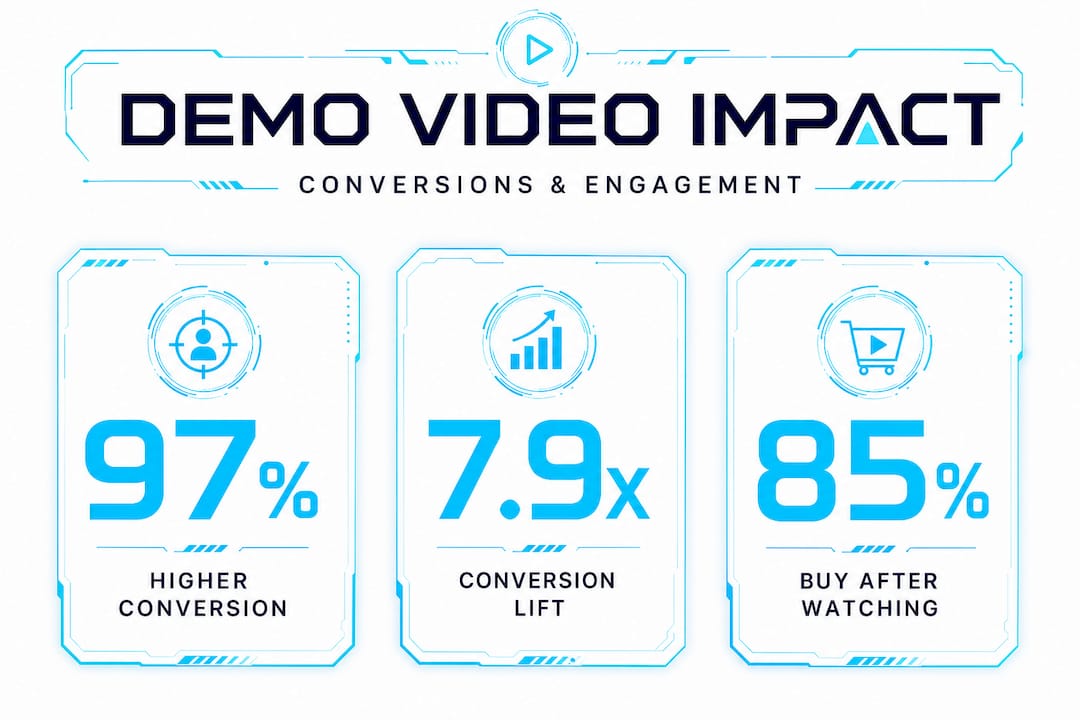
Landing pages with demo video content see an 80 to 97% conversion lift, product demos generate 7.9x higher conversions than static alternatives, and e-commerce shoppable videos deliver 9 to 17% conversion rates with a 14 to 16% uplift in revenue per session. These aren’t marginal gains. They’re the difference between a store that struggles and one that scales.
The buyer psychology behind these numbers is straightforward. Video removes uncertainty. When someone watches a product being used, they can mentally simulate owning it. That mental simulation lowers the perceived risk of purchase. And lower perceived risk means higher conversion rates.
Key business outcomes demo videos consistently deliver:
- Increased purchase confidence because buyers see exactly what they’re getting
- Reduced return rates because the product meets expectations set by the video
- Higher average order values when demos are paired with upsell messaging
- Stronger brand recall because video is processed 60,000 times faster than text
- Improved ad performance across TikTok, Instagram, Facebook, and YouTube
The data on persuasion is equally compelling. 85% of people are convinced to buy after watching a product video, 83% of marketers report that video directly increases sales, and interactive demos boost conversions by 32% compared to static alternatives.
Pro Tip: Add interactive elements like clickable chapters or shoppable tags to your demo videos wherever the platform supports it. Even a simple “tap to shop” overlay can increase conversions measurably by removing the extra step between interest and action.
Thinking about this strategically, the path from boosting sales with video to scaling your whole store starts with one well-structured demo. Pair that with a clear understanding of your video marketing ROI and strategies, and you have a repeatable system rather than a one-off win. For sellers just getting started, the step-by-step video ads e-commerce growth guide maps out the full process from zero to launch.
Best practices and pitfalls: How to maximize your product demo videos
Data confirms that demo videos work. Now let’s make sure yours actually performs. The difference between a demo video that converts and one that gets ignored almost always comes down to execution. Great ideas, poor delivery. Strong product, weak script. These are fixable problems when you know what to look for.
Follow this sequence for consistently better-performing demos:
- Focus on user workflow, not features. Show the buyer doing something they want to do, not a list of specs. Workflow-focused demos outperform feature tours because they make the product feel immediately useful.
- Write a conversational script. Read your script out loud before recording. If it sounds like a brochure, rewrite it. Natural language builds trust faster than polished copy.
- Use annotations and on-screen text. Reinforce key moments visually. Many viewers watch without sound, especially on mobile, so text callouts carry real weight.
- Prioritize audio quality. Bad audio kills viewer retention faster than any other production issue. A decent microphone costs less than one lost sale.
- End with a single, specific CTA. One action. Not three options. Clarity converts.
The most common pitfalls that tank demo video performance:
- Feature dumping: Listing every capability your product has instead of showing the ones that matter most to your buyer
- Running too long: Unless you’re running a webinar or in-depth tutorial, anything over three minutes loses significant viewer retention on e-commerce platforms
- Generic content: A demo video that could apply to any brand in your category builds no trust and drives no conversions
UGC and live-action formats bridge the physical-to-online gap for e-commerce brands selling tactile products. Personalizing demos for your ideal customer profile and updating them when your product evolves are both practices that keep your content performing over time rather than going stale.
Pro Tip: Prioritize showing a complete workflow over a simple feature list. Buyers don’t want to know what your product can do. They want to see what their life looks like after using it.
Pair these practices with sharp effective messaging and solid UGC video best practices to build a demo video system that works consistently across product launches and ad campaigns.
What most e-commerce businesses miss about demo videos
Here’s the uncomfortable truth most video marketing guides skip: the best-structured, best-produced demo video in your niche can still fail. Not because it’s bad, but because it’s showing up at the wrong stage of the buyer’s journey.
Most e-commerce sellers treat demo videos as one-size-fits-all content. They make one video and drop it everywhere: ads, product pages, email, social. That’s not a strategy. That’s hoping something lands.
The real nuance is matching your video format to where your buyer is in their decision process. A static demo works beautifully for awareness. It introduces a product to someone who didn’t know they needed it. But an interactive or live demo is what closes a buyer who’s already comparing your product to alternatives. These are completely different psychological states, and they need completely different video experiences.
The second thing most guides miss is the role of length in conversion. Everyone says “shorter is better,” and for attention-grabbing content, that’s true. But the data tells a more nuanced story. Longer video content, like 30-plus-minute webinars, converts 65% of qualified viewers because the length itself signals depth, credibility, and commitment. For high-value products, a thorough demo actually outperforms a slick 60-second clip.
The takeaway isn’t “make longer videos.” It’s “match video depth to purchase complexity.” A $20 accessory needs a punchy 30-second demo. A $400 piece of equipment might need a five-minute walkthrough followed by a Q&A video. Matching content depth to decision complexity is what separates brands that get occasional sales from brands that build predictable video marketing ROI.
AI tools are changing this equation fast. Rapid personalization means you can now create multiple versions of a demo video for different buyer segments, different platforms, and different stages of the funnel, without a production team or a large budget. The brands that win in 2026 and beyond will be the ones that treat demo videos as a dynamic system rather than a single static asset.
Ready to create high-impact product demo videos?
You now have the full picture: what demo videos are, how to structure them, which format fits your product, and what the data says about their impact. The next step is execution, and that’s where most sellers hit a wall. Scripting, recording, editing, and formatting video content takes time and skill that most e-commerce entrepreneurs don’t have to spare.
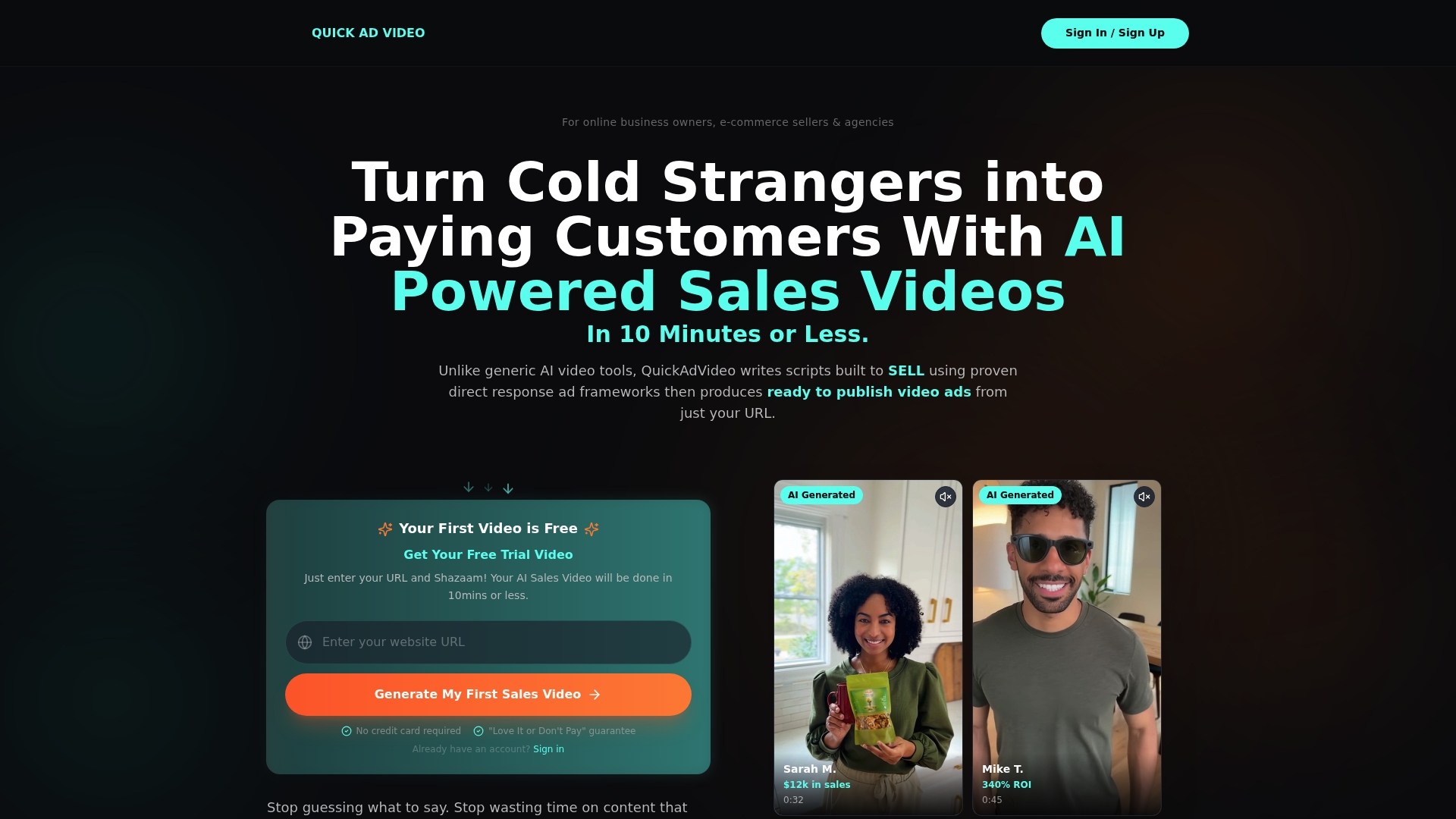
QuickAdVideo was built specifically for this problem. You paste in your product URL, and the platform’s AI generates a high-converting demo video using proven direct response frameworks in minutes. No camera, no editor, no agency required. Choose from AI demo video templates spanning UGC, cinematic, and viral story formats, all designed to match your product category and marketing goal. Then publish directly to TikTok, Instagram, YouTube, or Facebook. The QuickAdVideo platform makes every format covered in this guide immediately accessible, whatever your budget or experience level.
Frequently asked questions
How long should a product demo video be for e-commerce?
For social media and homepage use, 60 to 90 seconds hits the sweet spot, with 2 to 3 minutes working well for product detail pages and full product tours staying under 5 minutes. Shorter videos achieve 50% viewer engagement compared to just 38% for videos over 5 minutes.
What is the most effective structure for a demo video?
The proven four-stage structure opens with a customer problem, introduces the product as the solution, shows it working in action, then closes with a results-focused call to action. This flow works because it mirrors how buyers actually make purchasing decisions.
Do interactive or shoppable demo videos convert better than static content?
Yes. Shoppable videos drive 9 to 17% conversion rates and interactive demos boost conversions by 32% compared to passive video formats, making them the highest-performing option when your platform supports them.
When should I use UGC or live-action demo videos?
Choose UGC or live-action formats whenever your product has physical qualities like texture, fit, weight, or real-world context that buyers need to assess, since UGC and live-action bridge the trust gap between online shopping and in-person experience far better than animation or screen recordings.
Recommended
Related Posts

Why Use Templates for Video Ads: Scale Smarter
Discover why use templates for video ads to streamline production. Boost efficiency and scale your campaigns without losing creativity!

The Role of Data-Driven Video Ads in Boosting ROI
Discover the role of data-driven video ads in boosting ROI. Learn how analytics enhance engagement, optimize campaigns, and drive results.

Create Persuasive Video Ads Workflow That Converts
Learn how to create persuasive video ads workflow that transforms your ideas into optimized, high-converting campaigns. Get started today!